



Navigate to the patterns section and click the header you would like to edit.

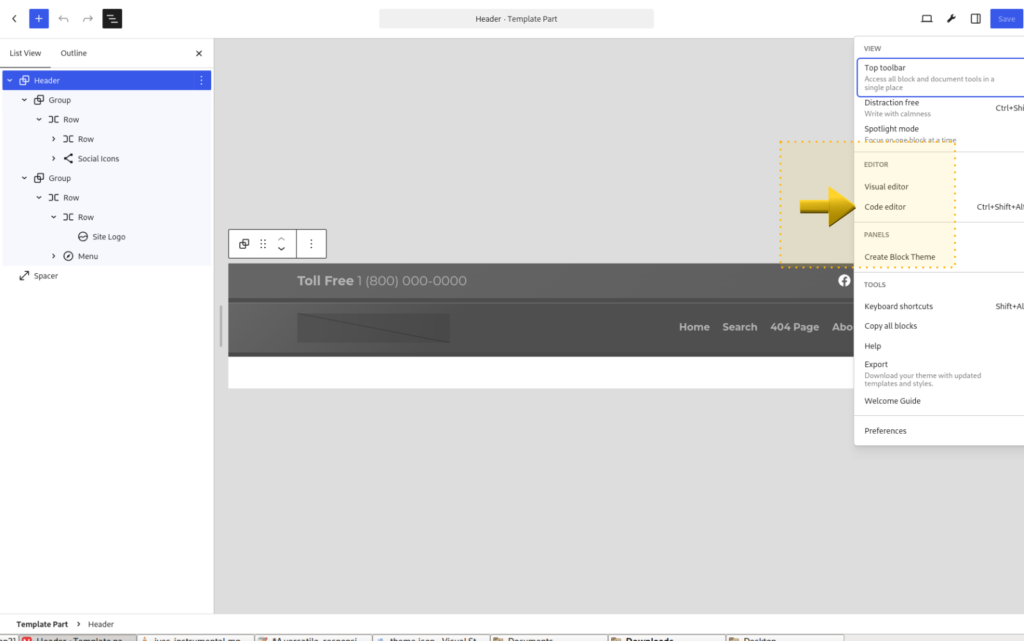
This will open the header in the editor, here you can edit or change anything in the header. If you would like to edit the actual code, click here to access the code editor.

Leave a Reply