



Navigate to the patterns section and click the footer that you would like to edit.

This will open the footer in the editor, here you can edit or change anything in the footer. If you would like to edit the actual code, click here to access the code editor.
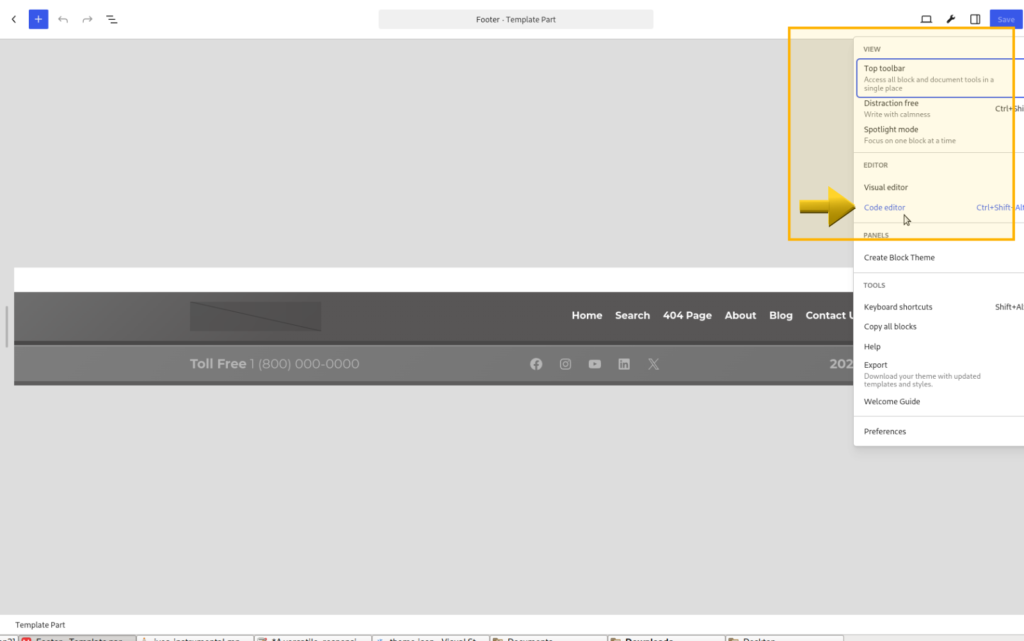
If you would like to change the footer, you can copy and paste the code from any other footer of your theme to the primary or main footer’s code editor page.


Leave a Reply